

/global/header/smart-buildings.svg)


/global/header/facility-management.svg)






/global/header/leisure.svg)






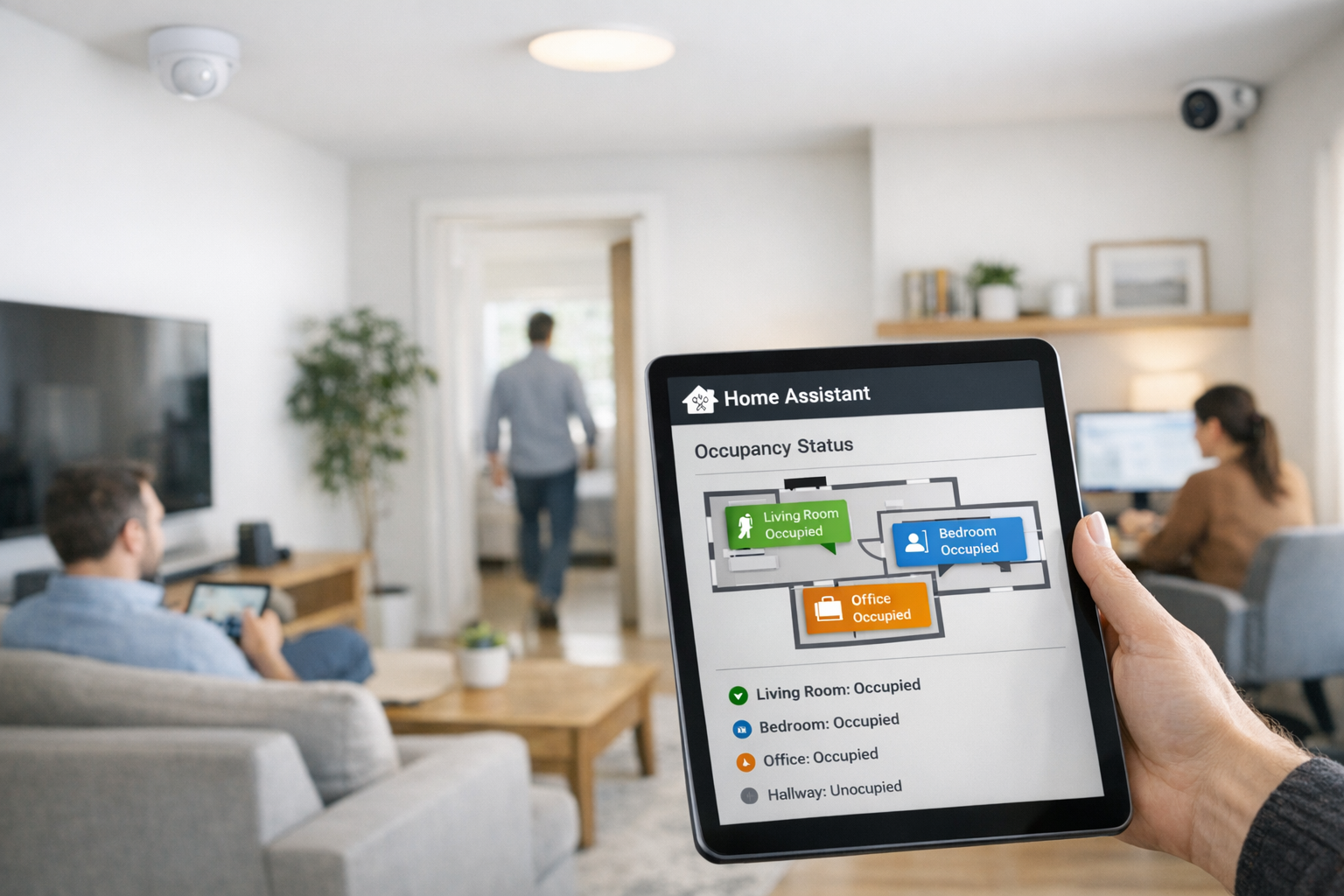
It is 10:40 on a Tuesday. Eight people are on a video call in meeting room 2.03, nobody has moved more than a forearm in twelve minutes, and the lights have just gone off because the PIR sensor decided the room was empty. Someone waves at the ceiling, the lights return, and the ventilation that also follows that sensor has already dropped to minimum. That is the gap between motion and presence, and it is the reason most home assistant presence detection setups in offices and public buildings get switched off within a month. This article is the step-by-step fix: how to use occupancy sensors and people counting sensors together so Home Assistant knows a room is occupied even when nobody is moving.
Step 1: Write Down What "Present" Means for Each Zone
Before any hardware, list every zone you want automated and give each one a single presence definition. For a meeting room it is usually "at least one person inside." For a floor or wing it is "entries minus exits is greater than zero." For a reception area it may be "anyone has crossed the threshold in the last ten minutes." These three definitions need different sensors, and the mismatch between definition and sensor is what produces false empties. If you want the broader context on sensor categories and architecture, the complete guide to Home Assistant occupancy integration covers it; here we stay strictly on making presence reliable.
Step 2: Pair Area Sensors with Entry-Point Counters
Reliable presence detection almost always comes from two signals, not one:
- Inside the room: mmWave radar. Devices such as the LD2410 or Aqara FP2 detect static bodies through micro-movement, so a seated, still person still registers. Mount them facing the seating area, not the door, and keep rotating fans and large plants out of the field of view, since both cause false positives.
- At the entrance: a people counter. A directional counter at the door gives you an in/out tally. A count above zero is strong evidence of presence regardless of how still people are. Beam-break and ESP32 counters work for a single office door; for a floor with multiple entrances, drift becomes the problem, which we deal with in Step 5.
The logic you will build is simple: the zone is present if the counter says someone is inside or the mmWave sensor sees a body. The counter protects you from the still-occupant problem; the radar protects you from counter drift leaving a room "occupied" all night.
Step 3: Bring Both Signals in Over MQTT with Retained State
Run Mosquitto as your broker and enable MQTT Discovery so sensors register their own entities. Two settings matter specifically for presence:
- Retained messages on every presence and count topic. Without them, a Home Assistant restart leaves zones in unknown until the next change, and an "unknown" meeting room at 7 a.m. may never trigger the morning warm-up.
- Topics named by place, not device. Use building/floor2/room-203/count and building/floor2/room-203/radar. When the counter is replaced in two years, the automations do not notice.
Professional counting platforms generally expose data through an API or webhook rather than publishing straight to your broker. A small bridge in Node-RED or a Python add-on that polls the API and republishes to those topics gives you one consistent entity model whatever the vendor.
Step 4: Build the Presence Template Sensor
Never point automations at a raw sensor. Create one template binary sensor per zone, with device class occupancy, and give it three properties:
- The OR condition. State is on when the zone count is greater than zero or the mmWave binary sensor is on.
- A delay_off. Set it to 5 to 10 minutes for meeting rooms and 15 or more for open floors. This is the single setting that stops lights flickering when the radar briefly loses a very still occupant.
- An availability check. If either source is unavailable, mark the template unavailable rather than silently defaulting to "clear." Facilities would rather have ventilation stay on than switch off on missing data.
Every automation for that room then targets binary_sensor.room_203_presence. When you tune the delay or add a third sensor, you change one template, not thirty automations. This is also the entity you expose to dashboards, so what facilities see and what the building acts on are the same thing.
Step 5: Stop Counter Drift from Faking Presence
Counters accumulate small errors: two people walking abreast register as one, a cleaning trolley registers as a person. Over a day the tally and reality separate, and a zone that shows two occupants at 2 a.m. is drift, not intruders. Three safeguards keep home assistant presence honest:
- Nightly reset to zero for each zone count, conditioned on the building's security system being armed, with the pre-reset value written to a log.
- Radar veto at low counts. If the count is 1 or 2 and the mmWave sensor has reported clear for 30 minutes, treat the zone as empty. Add this as a second branch in the template.
- Watch the residual. If the logged pre-reset value grows week over week, a sensor's field of view has changed, usually because furniture, signage or a light fixture moved under it. The log tells you before anyone else does.
When Home Assistant Presence Detection Needs Professional Counts
The pattern above works with DIY counters for one or two rooms. It stops working when presence for an entire floor depends on counts across several entrances, or when the same facilities technician crosses a threshold forty times a day and inflates every zone. That is where dedicated people counting earns its place. Vemco Group, counting people since 2005, supplies AI sensors with a contractual minimum of 96% accuracy, typically reaching 98 to 99% when lighting, layout and visitor behaviour allow, plus staff exclusion so repeat crossings by employees do not register as occupants. VemFusion carries that occupancy data into HVAC, BMS and security systems, which matters when Home Assistant is one consumer of the data rather than the only one, and VemSpace covers which spaces are actually used and how often. The division of labour for integrators is the same as above: let the counting platform own accuracy, bridge its API to your MQTT topics, and let Home Assistant own the template and the automations.
Step 6: Validate Before You Automate Anything Expensive
Run the presence template for two weeks in observe-only mode. Compare its on/off periods against room booking data and a few manual spot checks. Look for three failure signatures: presence switching off during long seated meetings (increase delay_off or reposition the radar), presence staying on after everyone left (counter drift, tighten the radar veto), and presence flapping at the door (move the radar so it does not see the corridor). Only then connect lighting, and only after lighting behaves for a week, connect ventilation. Keep high-frequency radar states out of the default recorder and route them to InfluxDB or long-term statistics so your database stays small enough to query.
Frequently asked questions
Can I use mmWave alone for presence detection in a meeting room?
For a small room with one door and clear sightlines, often yes. The counter becomes necessary when the radar cannot cover the whole seating area, or when you also need to know how many people are inside for ventilation or capacity logic.
What delay_off value should I start with?
Start at 10 minutes for meeting rooms and 15 to 20 minutes for open floors, then shorten in steps while watching for false empties. It is far cheaper to leave lights on for an extra five minutes than to have occupants lose trust in the system.
How do I connect a professional people counter to Home Assistant?
Most platforms expose counts through an API or webhook. A small middleware service polls or receives that data and republishes it to your MQTT topics, so Home Assistant treats it like any other sensor and your template logic does not change.
If your presence detection needs to cover whole floors, exclude staff and feed HVAC and BMS as well as Home Assistant, talk to the Vemco Group team about VemFusion and VemSpace at vemcogroup.com/contact-us. Bring your floor plans and the zones you want automated, and they will help you place the counters so the presence logic above has data it can trust.