



Tenant Revenue Management
VemTenant: Tenant revenue management software for malls
VemTenant turns tenant turnover reporting into a two-way partnership. Landlords get every store's sales automatically, on time, in one place. Tenants get the mall's footfall, their capture rate and their ranking against the category they trade in. Both sides negotiate, plan and market on the same numbers.
Every mall has the same argument
A rent review comes round and neither side has the same numbers. The landlord says the unit gets strong footfall. The tenant says the footfall does not convert. Both are working from impressions, and the conversation turns on who argues better rather than on what the data shows.
A tenant is the landlord's partner, not the landlord's counterparty. Trust and transparency are the working conditions of a good mall, not a soft benefit. And they only hold when both sides read the same numbers - which is what a transparent tenant revenue management tool is for.

What is tenant revenue management?
Tenant revenue management is the collection, validation and reporting of turnover from every store in a shopping centre. It replaces monthly chasing with automatic collection, and turns the result into rankings by category, by growth and by revenue per square metre.
Combined with footfall it produces conversion rate per tenant, which is the number both sides of a rent review can work from.
What the landlord sees, and what the tenant sees
The same data, presented twice. The landlord sees the centre; the tenant sees themselves and an anonymised benchmark. Neither sees the other's named numbers.
Landlord
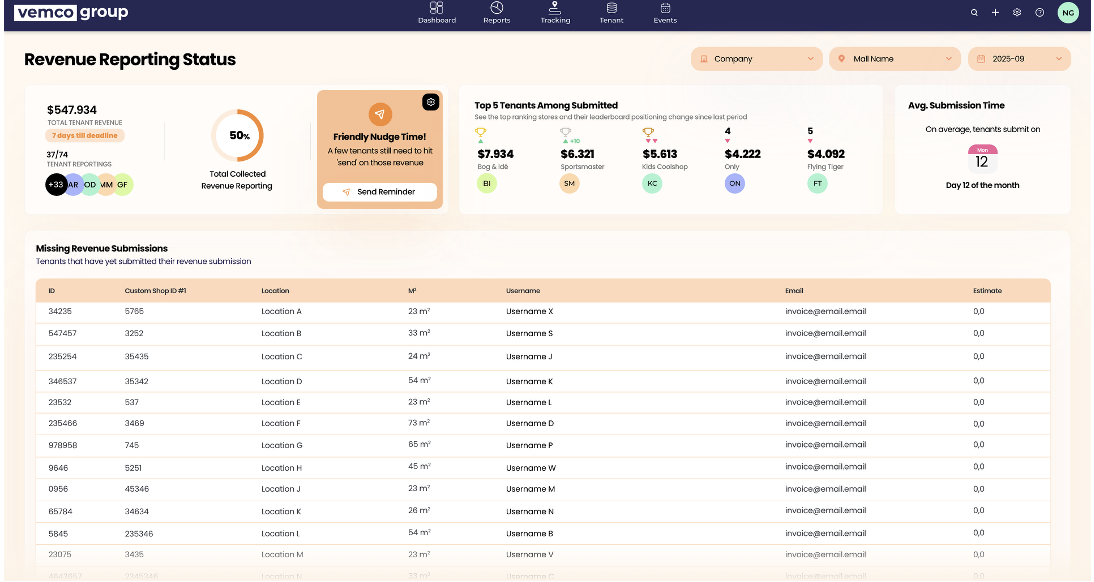
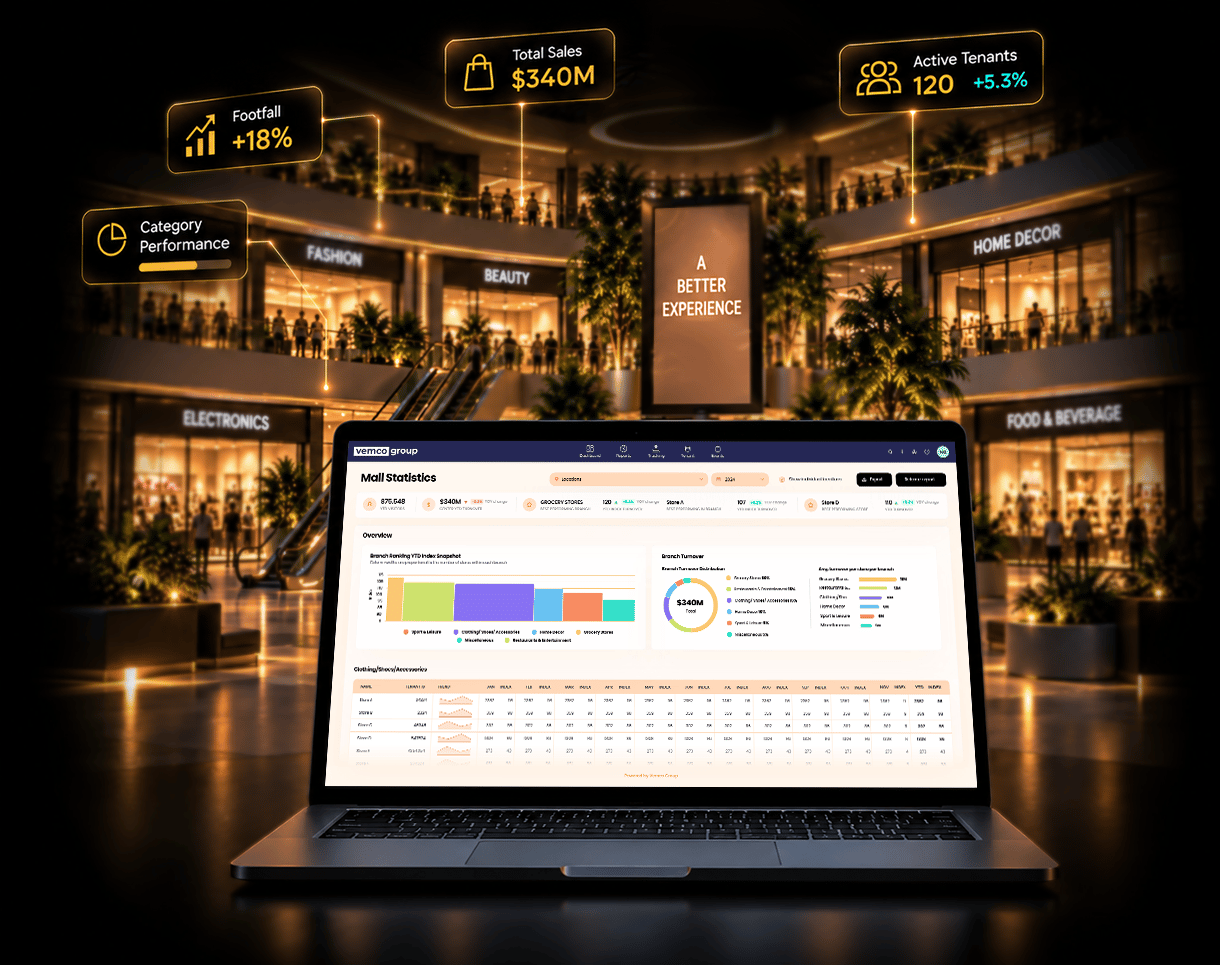
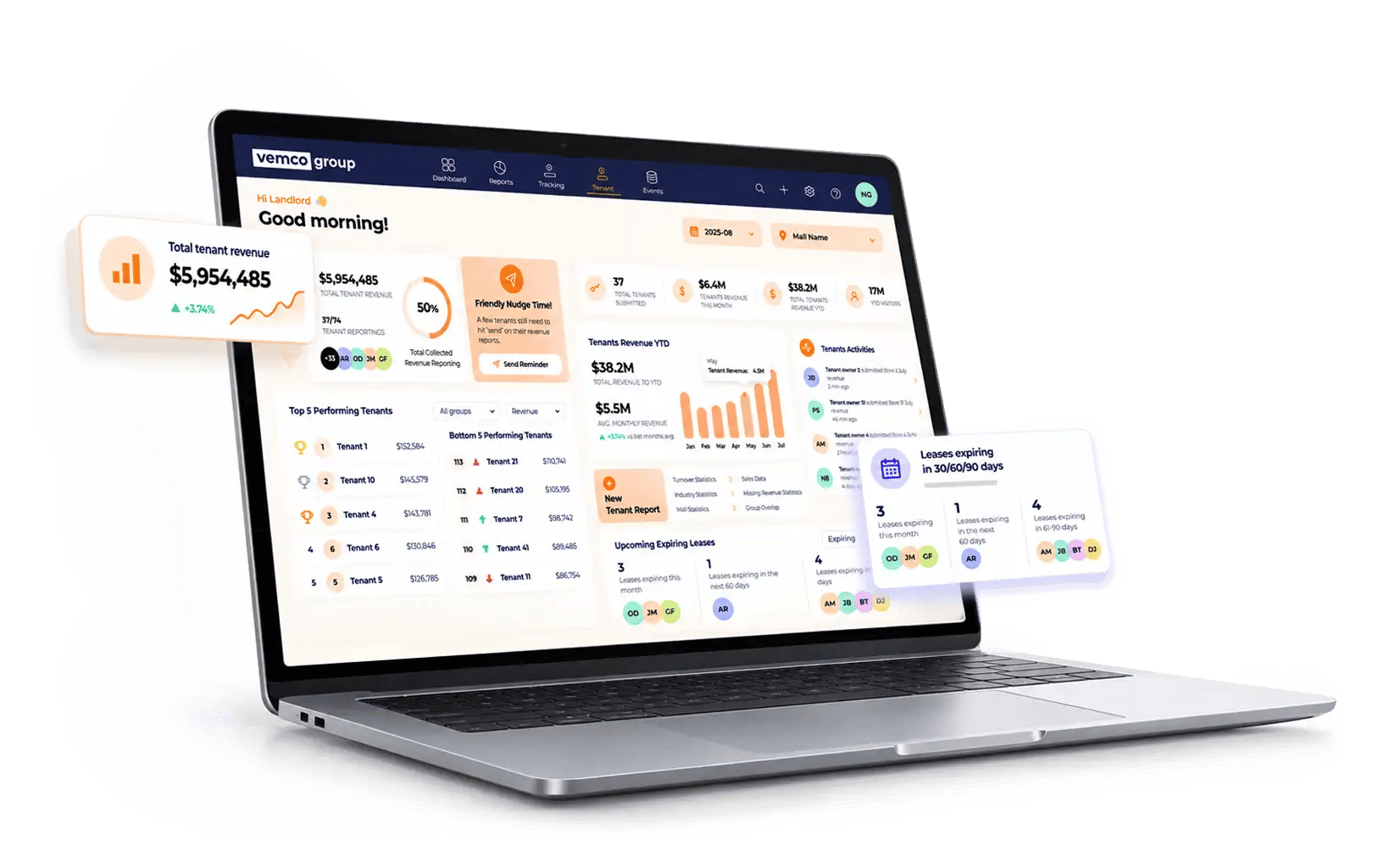
Total tenant revenue live as submissions arrive. How many tenants have reported and how many have not. Top and bottom five by category. An activity feed of who submitted what, and one click to a new tenant report. Managing leases as well? See VemLease.
Tenant
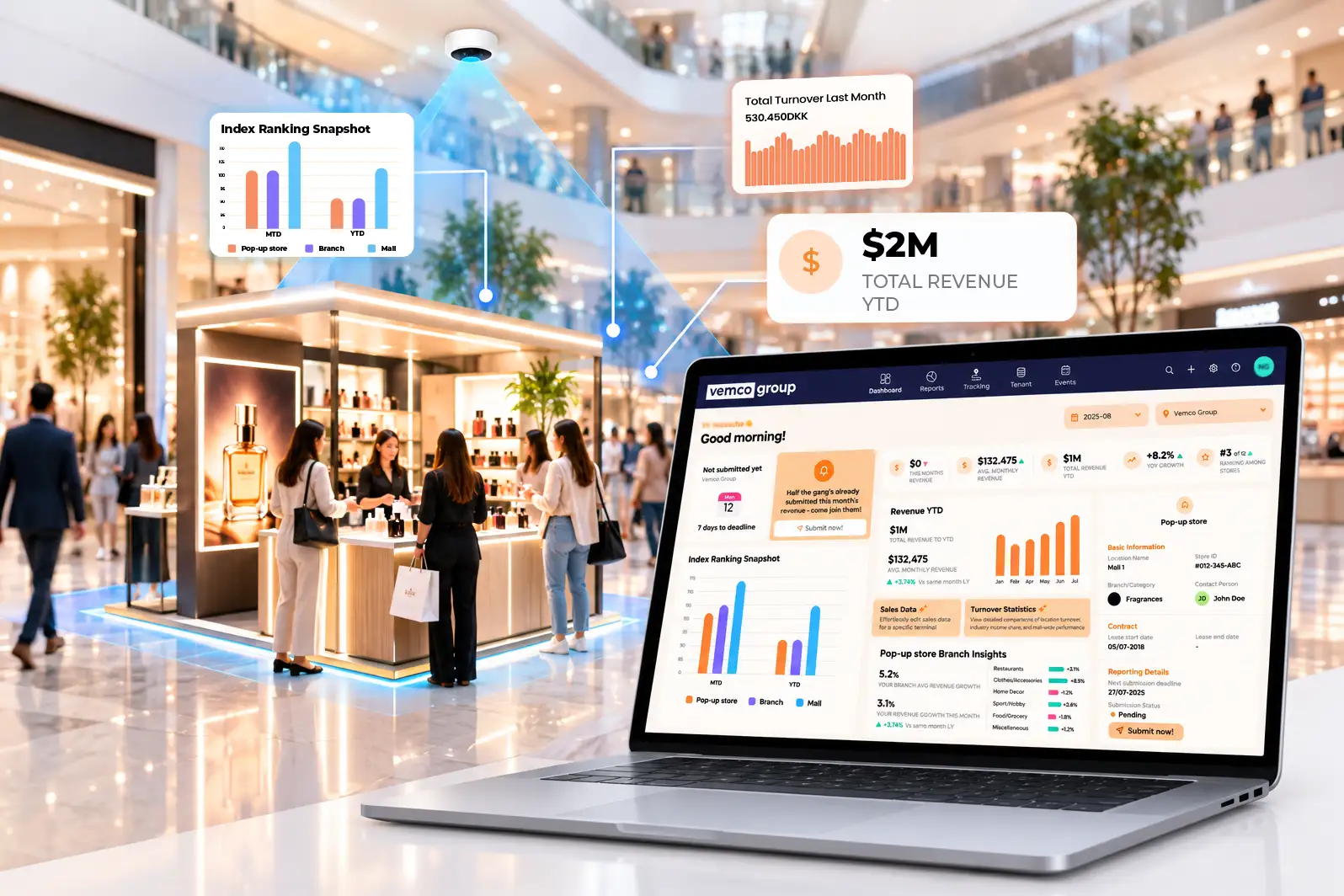
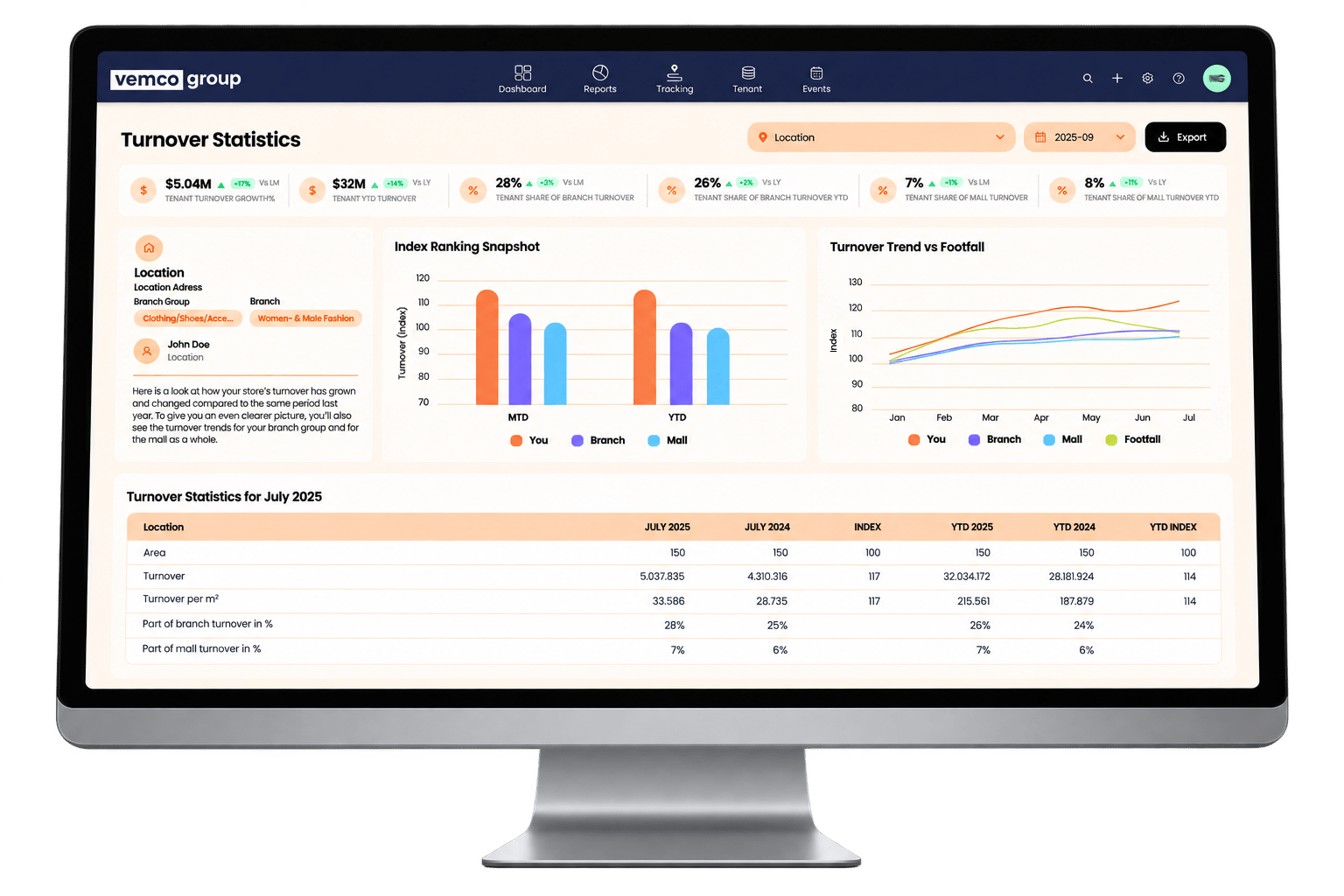
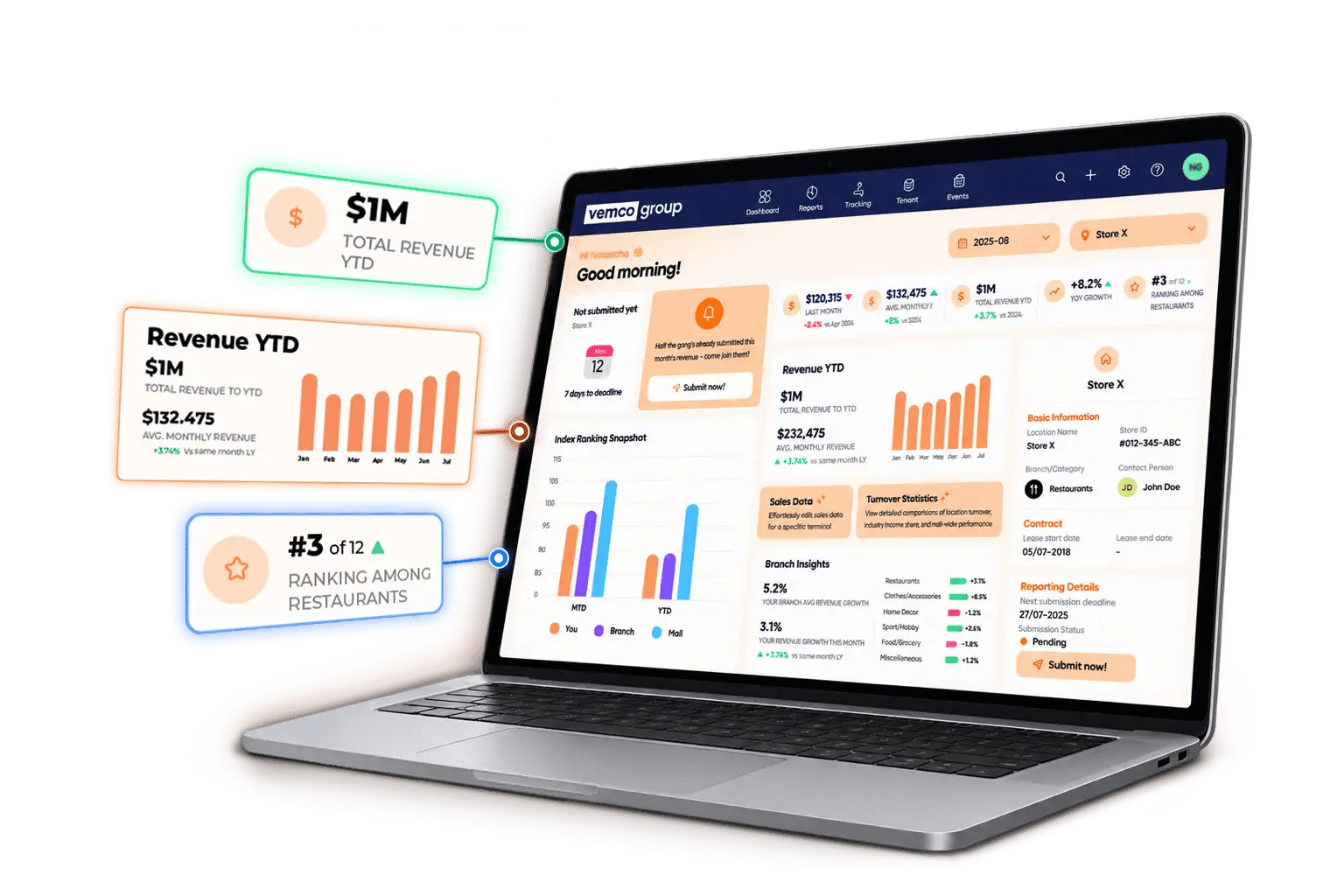
Last month, average and year-to-date revenue with growth against the same period last year. Rank within their own category, shown against an anonymised benchmark rather than against named neighbours. Submission history and what is still outstanding.
How do tenants submit their turnover?
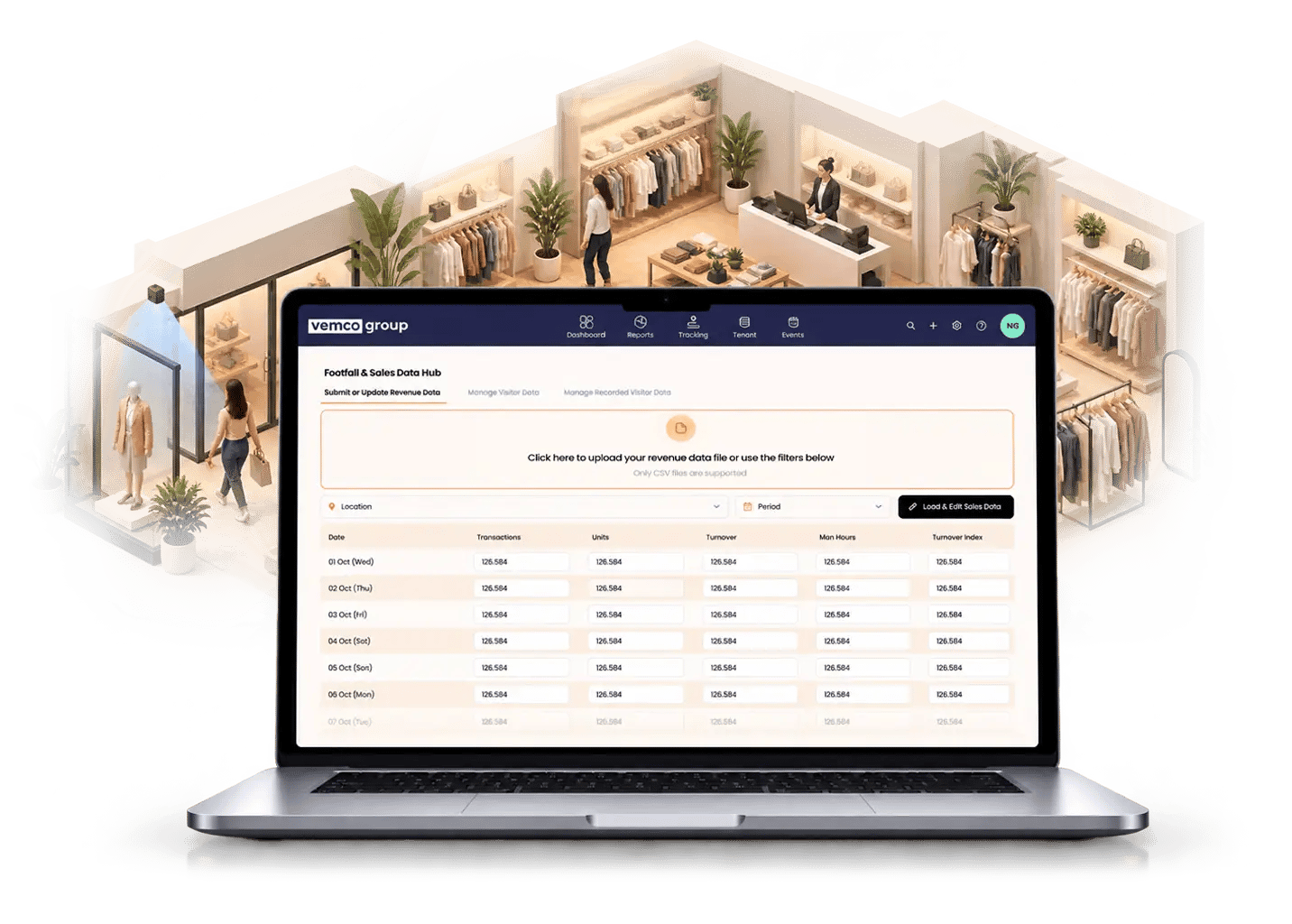
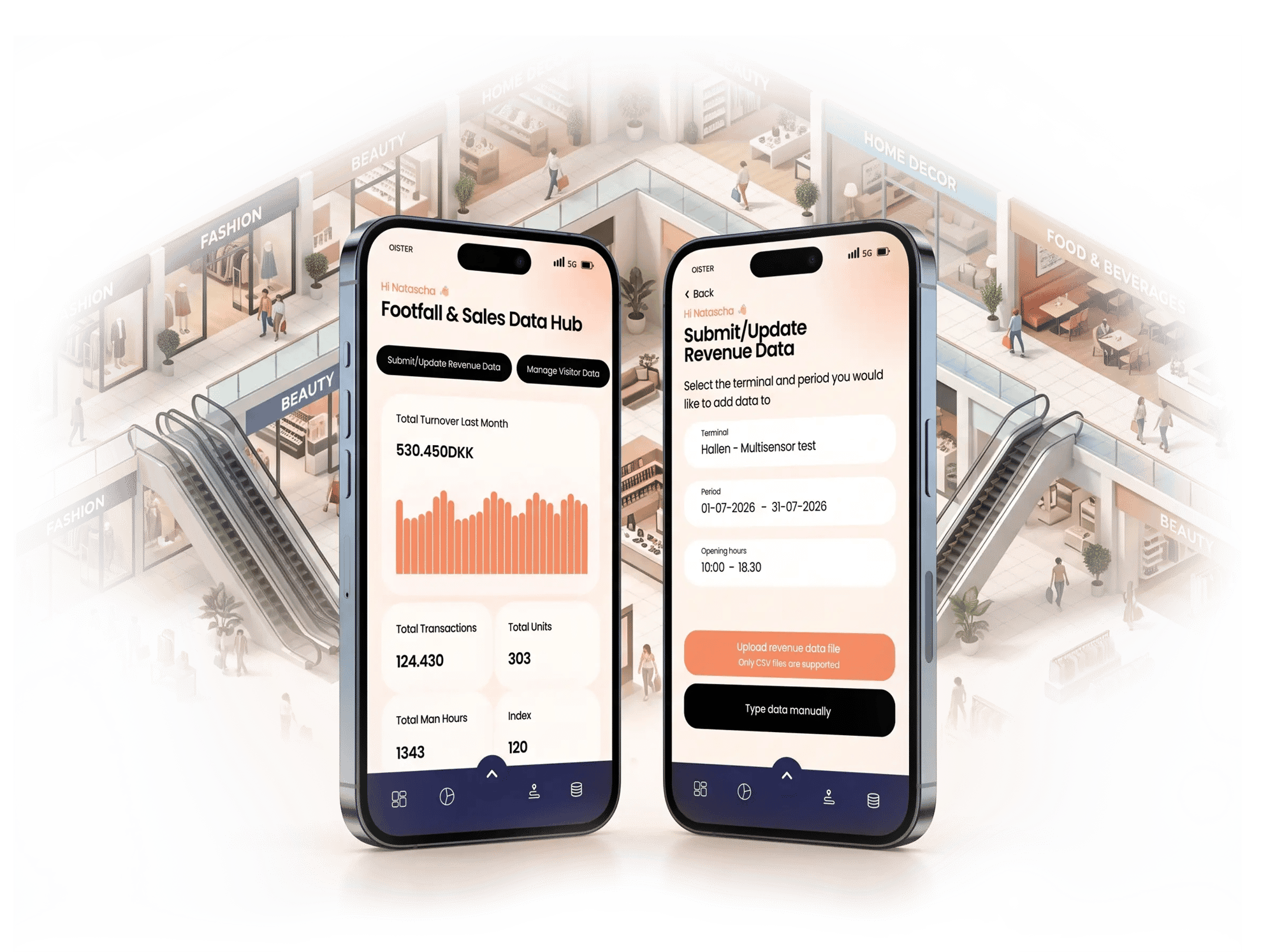
Three ways, chosen per tenant rather than per centre. A national chain with a central finance system and an independent operator with a single till need different routes to the same number, and forcing one method on everyone is where submission rates collapse.
Comparison
| METHOD | BEST FOR | TENANT EFFORT | TIMELINESS |
|---|---|---|---|
| Manual entry | Independents and smaller operators | Enters turnover in the browser each period | Per reporting cycle |
| File upload (Excel, CSV or SFTP) | Tenants whose systems export sales data | Uploads a file, or sends it by SFTP | Scheduled at any interval, down to every minute |
| Fully automated via POS or our API | Chains and franchises with a central system | None after setup | Usually hourly, so data is near real time (daily for some POS providers) |


Why would a tenant want to report?
Turnover reporting is usually a lease obligation that tenants meet late and resent. It only becomes reliable when the tenant gets something back that they cannot get anywhere else.
They see where they rank
A tenant knows their own turnover. What they cannot get anywhere else is their position within their category in this centre, benchmarked anonymously against comparable units.
They can argue their own rent
Footfall passing the unit against their own conversion gives a tenant the same evidence the landlord has. Shared numbers make the negotiation shorter, not necessarily easier.
They stop being chased
Automatic collection removes the monthly email. For a chain with units in twelve centres, that is twelve fewer chases a month.
Their neighbours cannot see their numbers
Named comparison stays with the centre. Tenants see an anonymised category benchmark, which is the condition most of them attach to reporting at all.

From chasing numbers to running the asset
Automatic tenant revenue import
Turnover arrives directly from tenant systems rather than by email, so the monthly report does not depend on who replied.
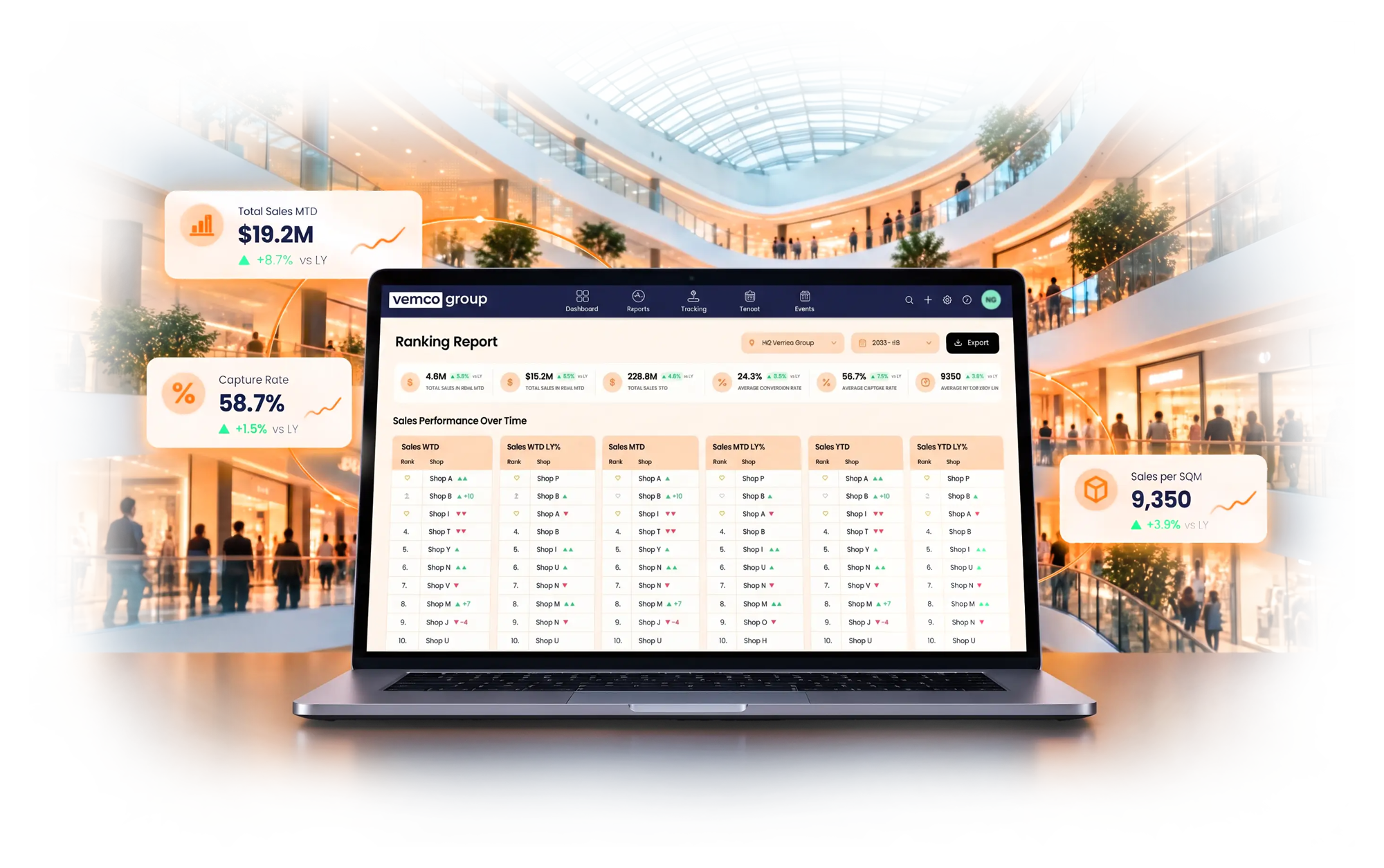
Store ranking reports
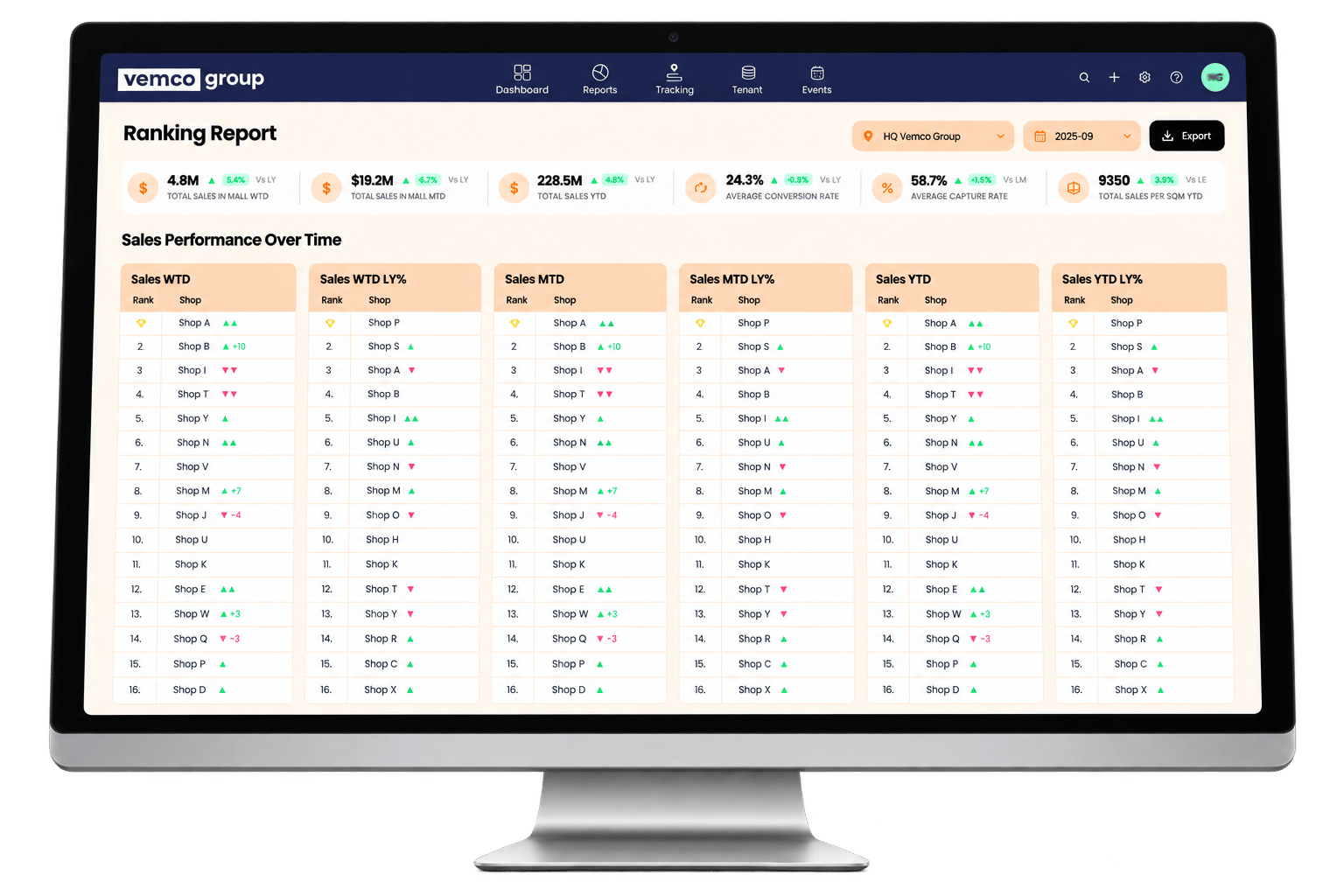
Tenants ranked by turnover, growth and revenue per square metre. The new Ranking Report shows how rankings change week to date, month to date and year to date.
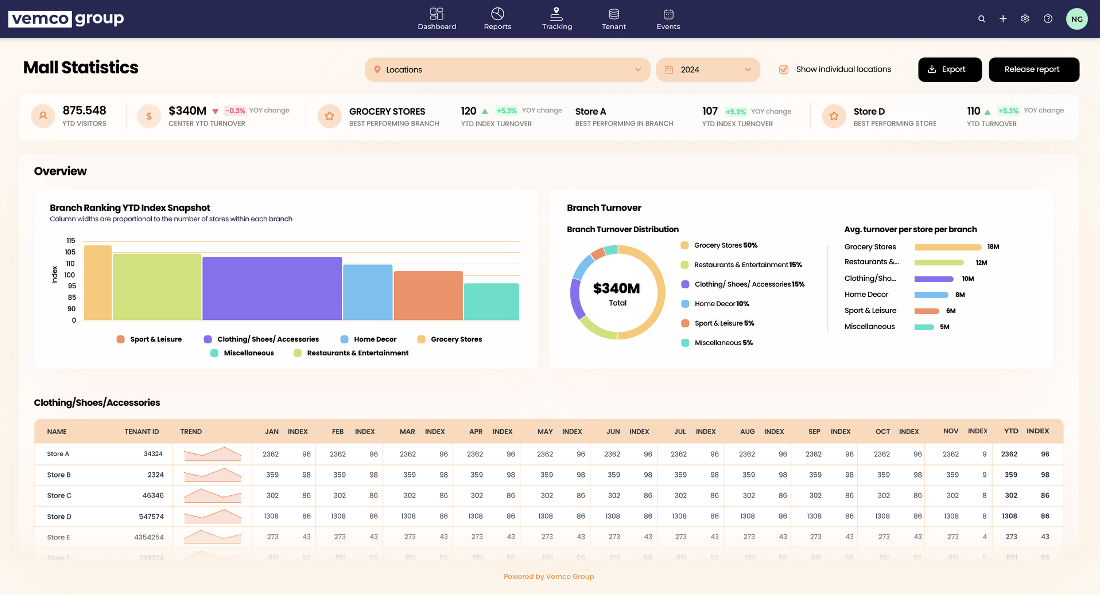
Landlord and tenant dashboards
The same data presented twice, with named performance visible to the centre and anonymised benchmarks to tenants.
Category segmentation
Performance grouped by tenant category, which is the level leasing decisions are actually made at.
Mall layout management
Units mapped to zones and floor areas, so revenue per square metre and zone performance are calculated rather than estimated.
Calendar and events
Events recorded against turnover and footfall, so their effect is measurable afterwards rather than assumed.
User-based access
Each role sees only what it should: centre team, leasing, asset owner and tenant, with separation enforced rather than agreed.
Revenue reporting status
One report showing which tenants have submitted turnover and which are still outstanding, so the gaps are visible before month-end.


The corridors nobody used to count
Pop-up stores, kiosks and promotional stands in the common areas pay some of the highest rent per square metre in the building, and they are usually the spaces with no data. With store-level sensors and VemTenant, a mall can show a brand exactly how many people passed its display, how many stopped, and how long they stayed. That number turns a one-month activation into a longer contract.

Who can see a tenant's data
The centre sees named tenant performance. Tenants see their own numbers and an anonymised category benchmark. No tenant can see another tenant's named turnover, and no individual shopper is identified anywhere in the system.
Comparison
| QUESTION | ANSWER |
|---|---|
| Can a tenant see a named competitor's turnover? | No. Benchmarks are anonymised by category. |
| Can the centre see named tenant performance? | Yes. That is the landlord view. |
| Is any shopper video or image stored? | No. Footfall is counts only. |
| Where is the data hosted? | AWS, with a 99.7% monthly uptime target. Region confirmed at contract. |
What does VemTenant integrate with?
Tenant POS and finance systems and BI, through VemFusion. Footfall comes from Vemcount in the same platform rather than from a separate system that has to be reconciled.
| CATEGORY | INTEGRATIONS | WHY IT MATTERS |
|---|---|---|
| Tenant POS and finance | 44 sales import integrations, plus our API for any other system | Automatic feed for chains, which is where submission rate is won |
| Footfall | Vemcount, in the same platform | Turnover plus footfall is conversion, which is what rent review turns on |
| Business intelligence | Power BI | Centre performance reported alongside the rest of the portfolio |
How long does it take to get tenants reporting?
Getting tenants submitting reliably takes one or two reporting cycles and needs the centre team to back the first deadline. Tenant onboarding, not installation, is what determines whether this works.
Comparison
| STAGE | WHAT HAPPENS | WHAT YOU PROVIDE |
|---|---|---|
| 1. Setup | Centre, units, categories and floor areas configured | Tenant list with unit numbers and areas |
| 2. Chain connections | Automatic feeds configured for tenants with central systems | Contact at each chain's finance team |
| 3. Tenant onboarding | Portal access issued, tenant view demonstrated | Centre team introduction to tenants |
| 4. First cycle | Submission monitored, non-reporters chased through the system | Backing from centre management on the first deadline |
| 5. Handover | Reports built per role, team trained | A list of who needs each view |
20+ years
Of experience
800+
Malls using Vemco
2013
VemTenant Launched
880
See both sides of the dashboard
A 30 minute call. We show the landlord view and the tenant view, using your centre's categories and tenant mix.
- You see what your centre manager would see, and what your tenants would see
- We talk through how turnover gets collected from a chain and from an independent
- We answer the confidentiality question directly, because your tenants will ask it
- You leave knowing what onboarding your tenant list would involve
Automatic Turnover Import
Automatically import turnover from your tenants to keep track of individual store performance.
Solutions
Shop Ranking & Categories
Create shop ranking reports based on predefined categories to discover and compare performance.
Solutions
Frequently Asked Questions
What is VemTenant’s purpose?
VemTenant is a tenant revenue management solution designed specifically for malls. Its purpose is to help mall operators optimize their operations and revenue using data and automation. By streamlining the process of revenue management, VemTenant allows mall operators to make data-driven decisions that will improve the overall customer experience and increase revenue. With features such as automatic tenant revenue import, category segmentation, store ranking reports, and mall layout management, VemTenant provides mall operators with the tools they need to succeed in a competitive retail landscape.
What is the difference between VemTenant and Vemcount?
While Vemcount is our main product, VemTenant is an additional purchase for malls wishing to have easy, automatic control of their tenant revenue. Together, they make a perfect pair that has helped malls overcome their operational difficulties while providing deep insight into the customer flow across their entire mall.
Can any size mall get the VemTenant solution?
Yes. The solution is not limited to any fixed mall size.
How many sensors are needed to get VemTenant?
Strictly speaking, VemTenant does not require any sensors. If you wish to solely have a solution that enables automatic tenant revenue import, VemTenant is your guy. However, we do recommend getting the solution in combination with in/out counting offered by Vemcount for a fuller experience.
Can other businesses, besides malls, get VemTenant?
Yes. While the solution is primarily designed for malls, the solution can benefit any location with tenant interactions, i.e., airports, train stations, and more.
How can I get in touch with customer support if I have any questions or issues?
You can reach out at any time if you need assistance in any way. Visit our contact page to find the local email or phone number for your region.
Content Hub

Blog
Temperature Monitoring Systems for Cold Rooms, Server Rooms and Stores: Sensors, Alerts and Logs That Work
Learn More

Blog