

/global/header/smart-buildings.svg)


/global/header/facility-management.svg)






/global/header/leisure.svg)






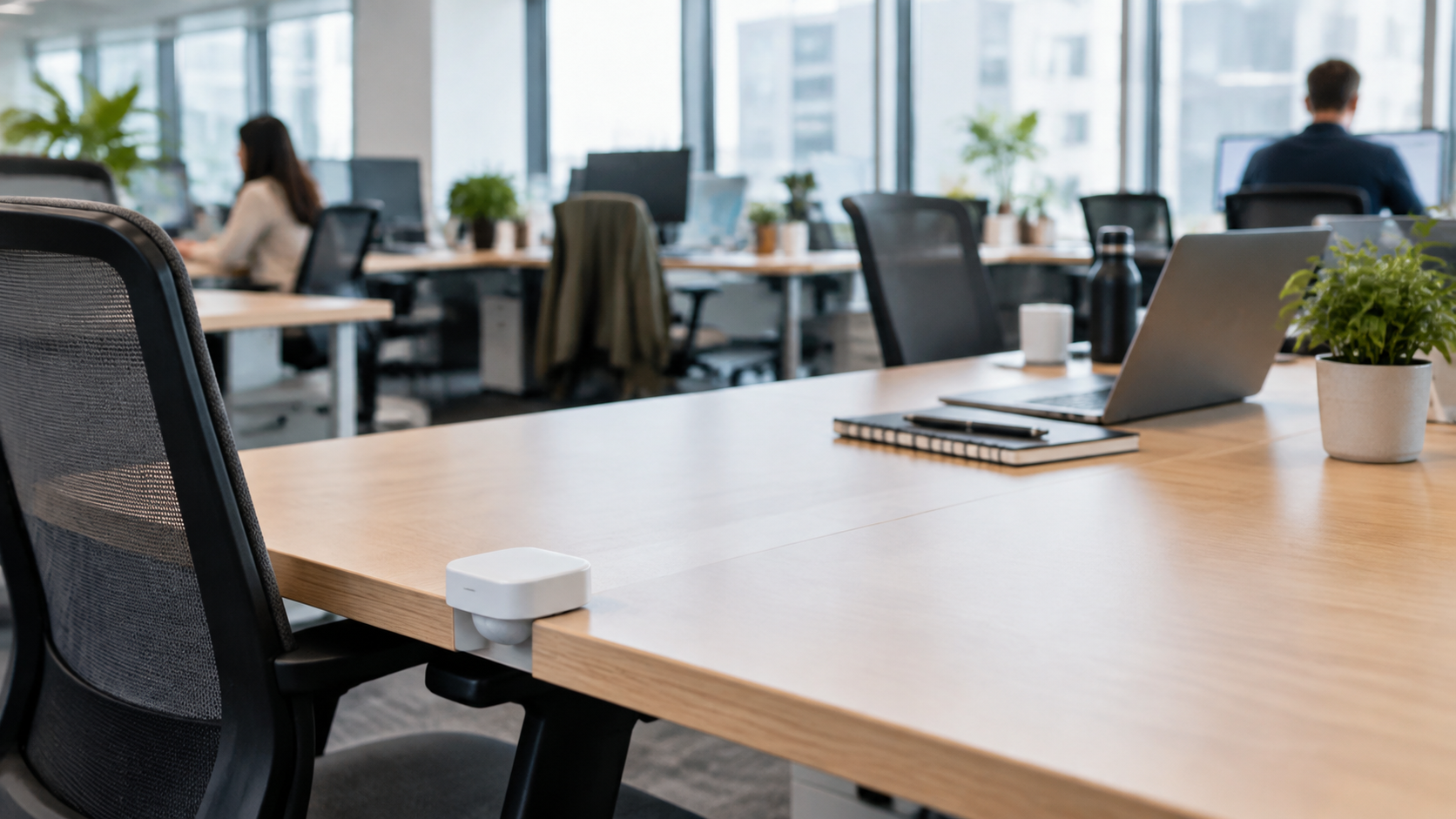
On a Tuesday in March the dashboard said 41% of desks on the third floor were occupied. The team lead on that floor said she could not find a seat after ten o'clock. Both were telling the truth. The desk occupancy sensor under each worktop was counting people in chairs at the moment it polled. It was not counting the laptop bags, coats and half-finished coffees that had claimed every window desk by quarter past nine.
Most facilities teams hit this gap within the first quarter of a desk sensor rollout. The hardware is doing exactly what it was designed to do. The problem is that what the sensor measures and what the building needs to know are two different things, and the budget conversation only goes well if you understand the difference before you present the first report.
What a desk occupancy sensor actually records
Whether the device is passive infrared, thermal or a small radar unit, a desk-mounted occupancy sensor produces one thing: a binary state for a single point, timestamped, with a configurable timeout. Presence detected, presence not detected, and a rule that decides how long after the last detection the desk flips back to free.
From that stream you can legitimately derive occupied minutes per desk per day, peak concurrent occupancy by hour, day-of-week patterns, and the list of desks nobody has sat at since the sensors went live. That last list is worth the installation cost on its own. In a 400-desk office it is common to find 40 to 60 desks that are effectively furniture, and that is the first concrete input into a consolidation case.
What it does not produce is any sense of why a desk was used, by whom, for what, or what happened to the person when the desk went quiet.
Five things the desk sensor misses
- Intent. A desk occupied for 18 minutes while someone checks email between meetings and a desk occupied for seven hours look identical in a daily utilization percentage. Only dwell distribution, not the average, tells them apart.
- Claimed but empty. Bags, jackets and a second monitor plugged in say "taken" to every human who walks past. The sensor says "free". This is the single biggest source of the mismatch between reported workplace occupancy and the floor's lived experience.
- Who is sitting there. This is a feature for privacy, but it means the data cannot tell you whether the same 90 people are rotating through the same 120 desks while another team's neighbourhood sits empty. Booking data or badge data has to supply that layer.
- Where people went. Desk vacancy is not building vacancy. At 11:00 the third floor may show 35% desks occupied while every meeting room, phone booth and café table is full. The building is working hard; the desk report says it is half empty.
- Still bodies. Someone reading a long document on a tablet, barely moving, can trigger a timeout on older PIR units. The desk is then reported free while it is very much in use, and the same person reappears as a new "arrival" twenty minutes later.
The setting that changes the whole report
Here is the thing experienced implementers know and vendors rarely put on the first slide: the timeout value shapes your utilization figure more than the sensor model does. Set it to five minutes and a floor can report 38% peak occupancy. Set the identical floor to fifteen minutes and the same day reports 51%. Neither number is wrong. They answer different questions, and if two buildings in the same portfolio run different timeouts, their space utilization figures are not comparable, however neat the dashboard looks.
The practical fix is boring and effective. Pilot one floor. For two weeks, have someone walk it at 10:30 and 14:30 with a tally sheet, recording three states per desk: person present, claimed but empty, genuinely free. Compare that against the sensor log and tune the timeout until the "person present" count lines up. You will also catch the under-desk heater that reads as a body all winter and the cleaner who keeps a zone live until 19:00.
Desk data needs a second layer above it
The 41%-but-full floor from the opening is only a mystery if desks are the only thing being measured. Once room, floor and building occupancy sit alongside desk occupancy, the pattern is obvious: people arrived, dropped bags, and spent the morning in rooms. That is a meeting-space shortage, not a desk surplus, and treating it as a desk surplus means removing seats from a floor that is already short of places to sit.
This is the reason VemSpace is built to measure desk, room, floor and building utilization as one dataset rather than four separate reports, with real-time occupancy and alerts when a zone passes a set limit. A university library can trigger wayfinding to the second reading room when the first passes 90%; a council building can see that the public counter area is at capacity while the back-office floor is a third full, and shift staff rather than space. Counting accuracy at the room and floor level is contractually a minimum of 96%, and typically runs at 98 to 99% when lighting and layout allow, which is enough to make the alerts trustworthy without pretending the number is perfect.
The numbers are only worth something if a system reacts to them
A desk occupancy sensor estate that reports into a quarterly slide deck pays for itself slowly, if at all. The faster return comes from feeding occupancy into the systems that spend money every hour the building is open. VemFusion connects that occupancy data to HVAC, BMS and security, so a third floor that is reliably empty from 15:00 on Fridays can drop to setback ventilation automatically instead of being conditioned for 120 people who left. In office and university buildings this is where the always-on waste lives, and it is a far more defensible line in a budget request than "we will reconfigure the floorplate next year".
One detail matters here. If the signal feeding the BMS includes every security patrol and cleaning round, zones stay live long after the last occupant leaves. AI sensors with staff exclusion keep those movements out of the occupancy count, which is the difference between a setback schedule that actually triggers and one that never quite does.
Before you sign the purchase order
- Decide the question first. "Which desks can go" and "why can nobody find a seat" need different data, and the second one needs rooms measured too.
- Fix one timeout value across the portfolio and write it into the reporting standard.
- Budget for the two-week walk-through on the pilot floor. It costs a few hours and saves a wrong consolidation decision.
- Agree up front which building system will consume the data, and who owns that integration.
Frequently asked questions
Do desk occupancy sensors track individuals? No. A desk sensor detects that a position is occupied and for how long; it does not capture identity, images or anything that links a presence event to a named person. If you need to know which teams use which neighbourhoods, that comes from combining anonymous occupancy data with booking or access records, and that combination should be covered by a written data policy before it is built.
If your desk reports and your floor walks disagree, the fix is usually in the measurement design rather than the hardware. Talk to Vemco Group about setting up a pilot floor that measures desks, rooms and the building together, and connects the result to the systems that actually spend your energy budget.